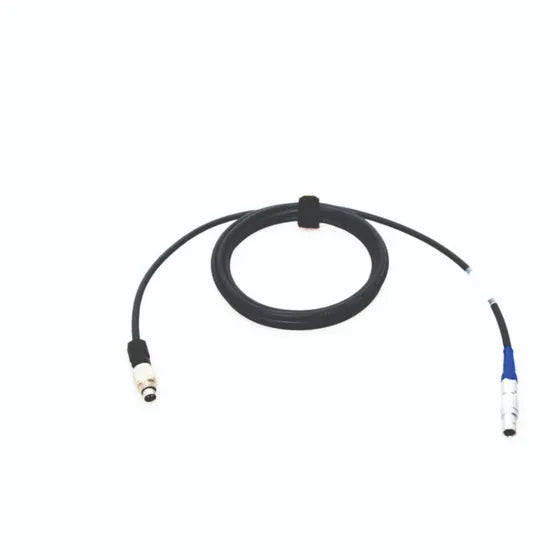

Racelogic VBOX Video HD2 to AiM 5-Pin CAN Cable (RLCAB145)
Couldn't load pickup availability
- Fast Dispatch and Shipping
- Support when you need it
- Secure payment and tracked shipping
- Trustpilot TrustScore 4.8/5 (222 reviews)
Need Help?
Need Help?
You can contact us via our chat box on our website, phone or email.
Aaron Harris: +64 27 449 9654 & aaron@harriscomms.co.nz
Rex Harris: +64 21 682 912 & rex@raceradios.co.nz
Shipping & Delivery
Shipping & Delivery
New Zealand:
- Standard shipping is $14 NZD, including helmets. Any separate rates for seats or trolleys are shown at checkout.
- Delivered by NZ Couriers or Post Haste.
- Delivery time: 1-7 days.
- Free local pickup is available from 15 Michael Road, Paraparaumu 5032.
Australia:
- Shipping is calculated from the combined estimated shipping weight of the items in your basket. Your rate is shown in AUD at checkout.
- Orders over 20kg require a separately priced freight quote before purchase. Please contact HRR.
- OMP seats and trolleys are available for New Zealand delivery only.
- Delivered by Asendia, DHL Express or FedEx.
- Delivery time: 7-14 days.
Other countries: For shipping to any other country, please get in touch for a quote.
Secure Payment Methods
Secure Payment Methods
We accept Apple & Google Pay, Debit or Credit Cards, and PayPal for easy and secure transactions.
Exclusively for our New Zealand customers, we offer Afterpay and Bank Transfer.
Racelogic VBOX Video HD2 to AiM 5-Pin CAN Cable
The genuine Racelogic RLCAB145 is a 2-metre CAN cable listed for connecting a Racelogic VBOX Video HD2 to a compatible AiM Motorsport dash or data logger with the required 5-pin CAN connection.
When the VBOX system, AiM device, connector, pinout, and configuration are compatible, the connection can support the exchange of compatible AiM data for VBOX video and data-overlay workflows. The cable does not replace the required device configuration, software, power, termination, or setup.
Compatibility
- Video system: Racelogic VBOX Video HD2.
- Data system: compatible AiM Motorsport dash or data logger.
- AiM connection: required 5-pin CAN connection.
- Length: 2 metres.
- Racelogic part number: RLCAB145.
This is not a universal AiM lead, vehicle-CAN cable, or power cable. Similar-looking CAN sockets may use different pinouts. Confirm the exact VBOX model, AiM device, connector, pinout, and required data configuration before ordering.
Installation checks
- Confirm that the VBOX Video HD2 and AiM equipment are the exact models intended for the installation.
- Check the AiM 5-pin CAN connector and pinout against the correct device documentation.
- Follow the Racelogic and AiM installation and configuration instructions for the complete system.
- Route the cable away from sharp edges, heat, moving parts, abrasion, and high-current wiring where practical.
- Secure the cable so vibration and repeated movement do not load the connectors.
- Test CAN communication, video recording, and the intended data-overlay workflow before competition use.
Use the AiM Downloads & Documentation page for official live AiM documentation sources. For fitment checks in New Zealand and Australia, contact Harris Race Radios.
VBOX-to-AiM Cable FAQ
What does Racelogic RLCAB145 connect?
It is listed for connecting a Racelogic VBOX Video HD2 to a compatible AiM Motorsport dash or data logger with the required 5-pin CAN connection.
How long is the cable?
The listed cable length is 2 metres.
Will it work with every AiM device?
No. Confirm that the exact AiM device has the required 5-pin CAN connection and that its pinout and configuration are compatible with the VBOX Video HD2 workflow.
Is this a power cable or universal vehicle-CAN cable?
No. It is a CAN connection cable for the listed Racelogic and AiM equipment. It is not a universal vehicle-CAN or power cable.
Does the cable configure the data overlay automatically?
No. The cable provides the connection only. The VBOX and AiM devices still require the correct installation, power, configuration, and compatible data setup.